Synergy Eye

What is Synergy eye
A mobile surveillance application that provides a complete, robust security system that aims to detect any intruder inside the house when no one is present so that the house security is maintained even when no one is present, any suspicious motion is captured on camera and is notified to the user via email, call, or SMS.
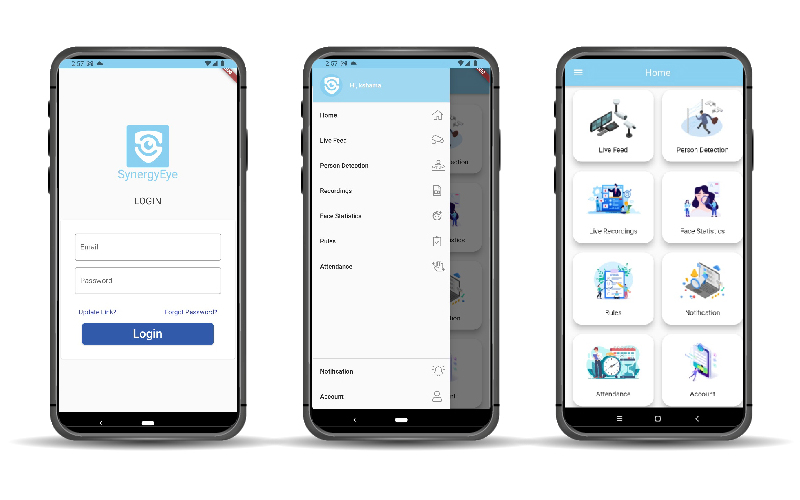
Alarm push functions, facial recognition, live video streaming, an attendance management system, and a person detection system are all included in the program.
The app is accessible for both Android and Apple devices. SE provides a simple interface for instantly adding devices such as network IP cameras, USB cameras, video intercoms, and alarms. The software also provides additional professional functionalities for these devices.
Why Synergy Eye Surveillance ?
- Enhance Public Safety
- Reduce the Risks of Crime and Terrorism
- Safeguard your assets
- Preventing Fraud
- Increase Efficiency
- Immediate Help and Prevention
- Attendance Tracking Software
- Detection of Intruders
- Use Live Streaming to Automate Process Surveillance
Synergy Eye Features
Smart Face Recognition Security System
- We want to build a smart premise that secures the gateway based on who we are using SE face recognition and IoT features.
- Identification that is precise and accurate by employing unique facial characteristics.
- Face recognition arrangement with many angles.
- Editing and deleting photographs is simple because of the user interface.
- Support and recommendations are available 24 hours a day, seven days a week.
Live Recordings
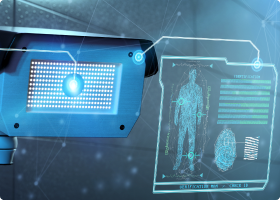
- In addition to outstanding support for live security camera watching, users can use the SE Android and IOS apps to search for and playback stored surveillance video footage by using the date and time search tool.
- In the log viewer, users can search for motion detection.

Attendance Management System
- A clever and dependable attendance monitoring system that automatically logs users' presence in set parameters in the database by capturing faces with the smart face recognition capability.
- Create a unique ID for each user, and when they register for attendance, real-time photographs will be recorded that match the pre-trained dataset.
Live Video Feed
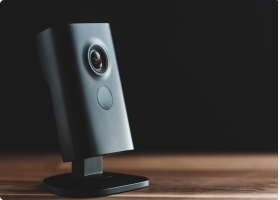
- Real-time video surveillance via a mobile application with motion detection to provide a comprehensive security solution.
- Security System with Motion Detection and Email Notification.
- There are no limits to the number of concurrent live feeds or viewers.
- Complete live stream workflow from content ingestion to global delivery.
- Control System for Live Cameras
- Dedicated, round-the-clock assistance.
- API
Person Detection
- The SE Person identification technology can recognize the presence of a human face in the frame. The very powerful system detects, matches, and compares facial features with the internal photo database, triggering notice for high-level security.
- Intrusion detection works best for monitoring exterior or access routes and reporting unwanted incursions.
- This algorithm works day and night, with many people in front of the lens, even if the target is wearing any accessories.
User Account Management
- SE User Account Management offers a simple and quick account management interface for building individual profiles and updating details with a few mouse clicks.
- Users can quickly register their faces in the database and tie them to their profiles using this function.
- From any mobile device, the user may access all of the camera's live feeds from their profile and adjust the setup of each camera.
- Admin users can delete cameras and enable or disable several features dependent on their user role.
- The admin user can also configure numerous servers for storage.
Rules
- The SE Rules simplify the setup of alerts and notifications based on a person detection system in the defined premises.
- Each camera may be subject to its own set of rules.
- Rules are also configured using the date and time.
- Admin users can delete cameras and enable or disable various functionalities based on their user role.
- The admin user can also configure several storage servers.